Responsible use
Stories belong to whoever posted them. Download them to watch yourself or to keep your own. Don't repost them without permission, and if you want to share one, credit its author. Also, do not use them to monitor or bother anyone.
Paste the profile link and save the active stories of a public account in MP4, before they disappear after 24 hours.
To download TikTok stories you don't need the link to each story: the profile link or the username is enough. The tool finds the stories that account has active at that moment and shows them one by one so you can save the ones you want.
Video stories are saved in MP4, with their audio.
You see the active stories before downloading them.
The tool doesn't add the TikTok logo.
You don't need a TikTok account or to install anything.
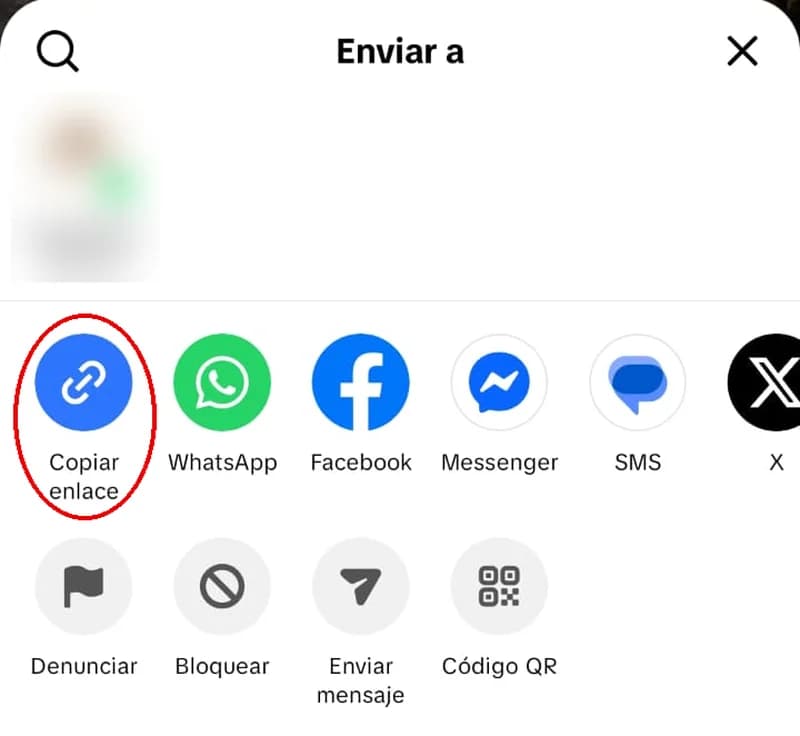
Open the account's profile on TikTok, tap the share button (top right) and choose Copy link. Typing just the username, the one that starts with @, works too.
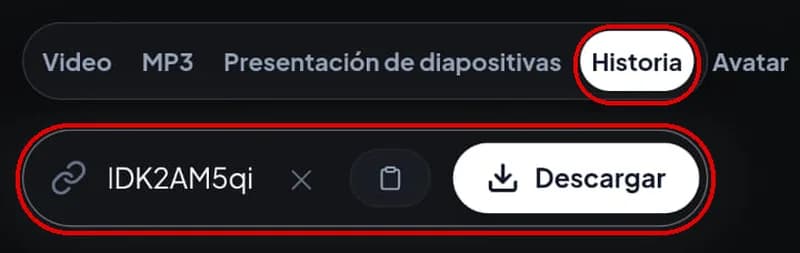
Paste the link into the box above and tap Search. You'll see how many active stories the account has and a preview of each one.
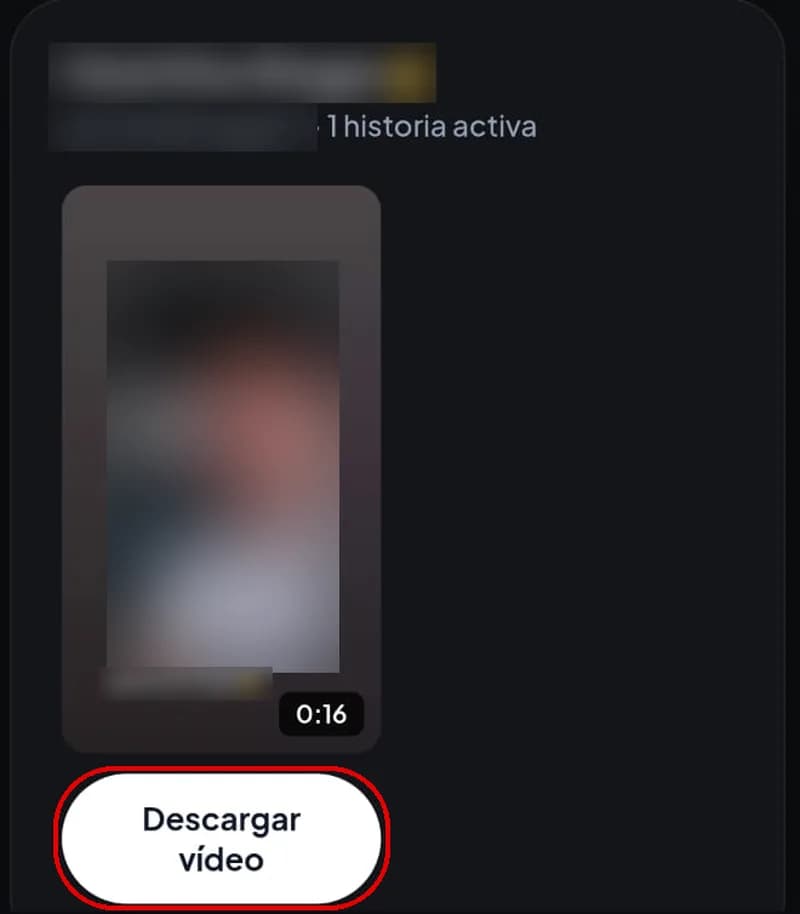
Tap Download video under each story you want to keep. The files go to your browser's downloads folder.
How long they last on TikTok
Where you see them
Link you need
| Stories | Videos | |
|---|---|---|
| How long they last on TikTok | 24 hours | They stay up until the creator deletes them |
| Where you see them | On the profile picture, with a colored ring | On the profile and in the feed |
| Link you need | The profile link or the @username | The video link |
If you have a video link rather than a story, use the TikTok video downloader.
A story disappears from TikTok 24 hours after it's posted, and the tool only finds the ones that are still active. If you see a story you want to keep, download it the same day: by the next day it may be gone.
With your own stories you have another option. TikTok keeps the ones you posted in a stories archive on your profile, if you have that feature turned on, and from there you can watch and save them again even when they're no longer public.
An MP4 file with its audio, at the quality TikTok has stored.
The tool shows every story the account has posted at that moment.
In a November 2026 test, a 16-second video story downloaded as a 576 × 1024 pixel MP4, with a file name like user-story-1.mp4. Quality depends on what the creator uploaded. A story shot in low light or at low resolution downloads that way, because the tool can't improve the original.
Safari saves them in the Files app, inside Downloads. To move a video to Photos, open it, tap the share button and choose Save.
They stay in Downloads and usually appear in Gallery.
They're in your browser's Downloads folder.
The account has no active stories right now, or the ones you saw are past their 24 hours. If the colored ring around their profile picture doesn't appear on TikTok, there are no stories to download.
No problem: the tool recognizes it's a video and switches to the video option on its own, so you can still download it. To see an account's stories you need the profile link or the username. If you type the username, use the one that starts with @, not the big name shown on the profile.
Only stories from public accounts can be downloaded. A private account's stories aren't available.
If TikTok removed the song for copyright reasons, the story is also silent in the app, and the MP4 comes out the same way.
Some stories already have the creator's name inside the picture, for example when they share one of their videos to their story and TikTok shows it with a frame and their @username underneath. That text is part of the story as it was posted, so it also appears in the downloaded file. The tool doesn't add any logo or mark.
Stories belong to whoever posted them. Download them to watch yourself or to keep your own. Don't repost them without permission, and if you want to share one, credit its author. Also, do not use them to monitor or bother anyone.
Copy the profile link or type the @username, paste it above and tap Search. Then download the stories you want to keep.
Yes. You don't pay anything and you don't need to sign up.
In the quality TikTok has them stored. In our test, a video story came out as an MP4 of 576 × 1024. If the creator uploaded it in low resolution, the file will have that same quality.
No. When a story turns 24 hours old, TikTok takes it down and no tool can recover it. If it's yours, check your stories archive.
No. Only stories from public accounts work.
Yes. It works in the browser of any phone or computer, without installing any app.