Responsible use
Photos belong to whoever posted them. Save them to look at yourself or to back up your own posts. If you want to use someone else's image on your profile or post it on another network, ask for permission first.
Paste the link to a photo post or slideshow and save all the images in a ZIP or the whole carousel as a video.
To download TikTok photos you only need the link to the post, just like with a video. The tool opens the public post and gives you all its images, without the TikTok watermark.
The whole carousel in a single ZIP file.
Turn the post into an MP4 with its music.
Download the carousel's song as an MP3.
Works in the browser on your iPhone, Android or PC.
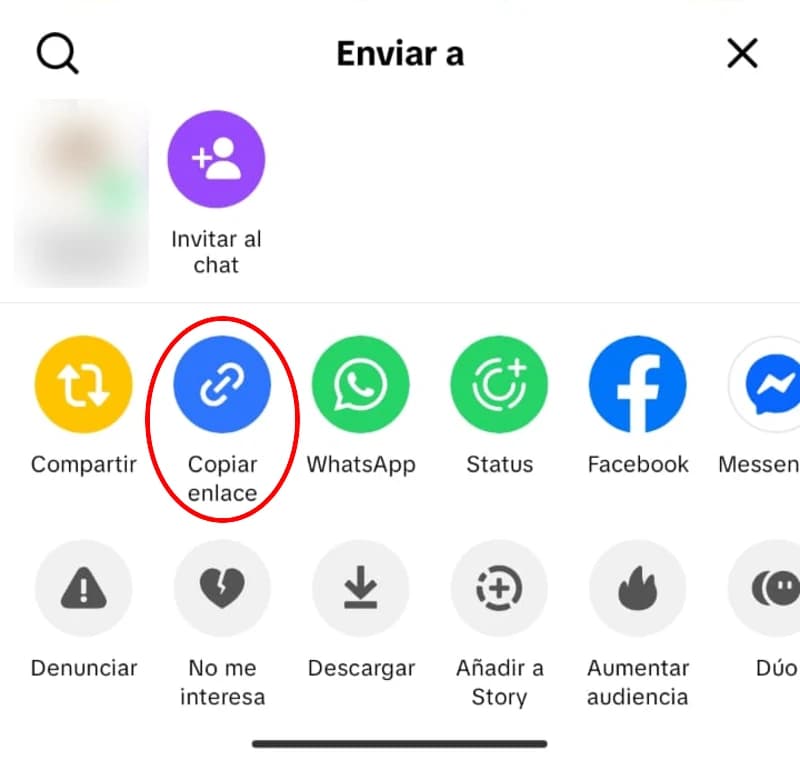
Open the photo post on TikTok, tap Share and choose Copy link. Copy it from the post, not from the profile: a profile link doesn't include the photos.
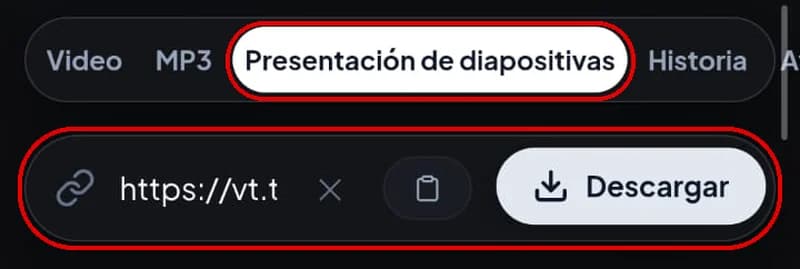
Paste the link into the box above and tap Download. You'll see a preview of the post with the number of photos it has.
Tap Download images to get all the photos in a ZIP, Download as video for the slideshow as an MP4 with its music, or Download audio to keep just the song as an MP3. The photos button shows, in brackets, how many images the post has.
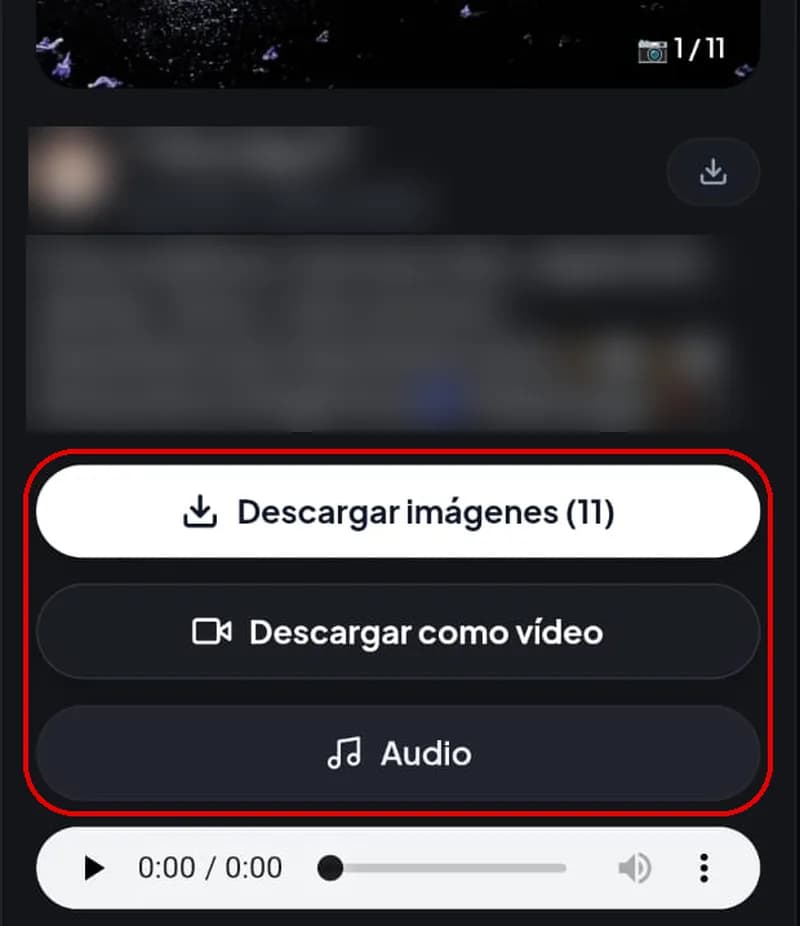
Photo posts have /photo/ in the address (tiktok.com/@user/photo/...), while videos have /video/. The short links the app gives you (vt.tiktok.com) work too: the tool opens them and detects what kind of post it is.
If what you have is a video, the TikTok video downloader is a better fit.
ZIP
MP4 video
MP3
| Option | What you get | Best for |
|---|---|---|
| ZIP | All the images in a single compressed file | Long carousels |
| MP4 video | The slideshow with its photos and music | Watching it like on TikTok or sending it in a chat |
| MP3 | Just the carousel's music | Listening to the song (more about MP3) |
A TikTok photo post can have up to 35 images, and the ZIP puts them all in a single file.
When you download TikTok photos here, you get the images exactly as TikTok stores them, in JPG format. In a November 2026 test, the photos from a six-image carousel came out at 1440 × 1920 pixels, between 200 and 700 KB each. The final resolution depends on how the creator uploaded the photos.
The tool doesn't recompress the photos, but it can't recover detail TikTok removed when they were uploaded either. And since there's no watermark, the images are saved without the logo or the username on top.
In some versions of the app, tapping Share on a photo post shows an option to save the images to your gallery. It works, but with limits: it only appears if the creator allows downloads, and the photos are usually saved with a TikTok mark.
If you want clean TikTok photos or the whole carousel at once, the tool above is more practical.
Safari saves the photos in the Files app, inside Downloads. To move them to Photos, open the image, tap the share button and choose Save Image. If you downloaded a ZIP, tap it in Files and the iPhone unzips it into a folder.
The photos go to Downloads and usually appear in Gallery. To open a ZIP, use Google's Files app or another file manager and choose Extract.
Everything ends up in the browser's Downloads folder. Windows and Mac open the ZIP with a double click.
Check the link. If it's a video, the tool switches to the video option on its own, and if it's a profile, to the stories option. For photos, open the photo post, tap Share and copy that link.
Make sure the download finished and open the file from the Files app (iPhone) or a file manager (Android). Gallery apps don't open ZIP files.
TikTok removes some songs for copyright reasons. If the carousel is also silent in the app, the MP4 will come out the same way.
Only posts from public accounts can be downloaded. If the account is private or the post was deleted, the tool can't access it.
Photos belong to whoever posted them. Save them to look at yourself or to back up your own posts. If you want to use someone else's image on your profile or post it on another network, ask for permission first.
Copy the post link, paste it above and tap Download images. You'll get all the photos in a ZIP.
Yes. Download images saves the whole carousel in a ZIP, whether it has two photos or thirty-five.
Yes. The images are saved without the TikTok logo or the username.
Yes. The Download as video button puts the photos and music together in an MP4 you can watch or share.
TikTok lets you save some videos as a Live Photo (animated photo) from Share, only if the creator allows downloads. This page downloads photo posts; for a video, use the video downloader.
Yes, you can download TikTok photos on iPhone from Safari. The images stay in Files and from there you move them to Photos.
No. Only posts from public accounts work.
This page is for photo posts. For an account's profile picture, use the TikTok profile picture downloader.