In the app
Go to the profile and tap the picture. TikTok shows it at a larger size.
Type the username with @ or paste the profile link and save the picture at full size, not the small circle in the app.
To download TikTok profile pictures, all you need is the username with the @ in front (for example, @user) or the link to the profile. The tool finds the image TikTok has stored for that account and shows it at the highest resolution available, ready to save.
The original image, not a screenshot of the circle.
The @username or the profile link both work.
You don't need a TikTok account.
Works on iPhone, Android and PC without installing anything.
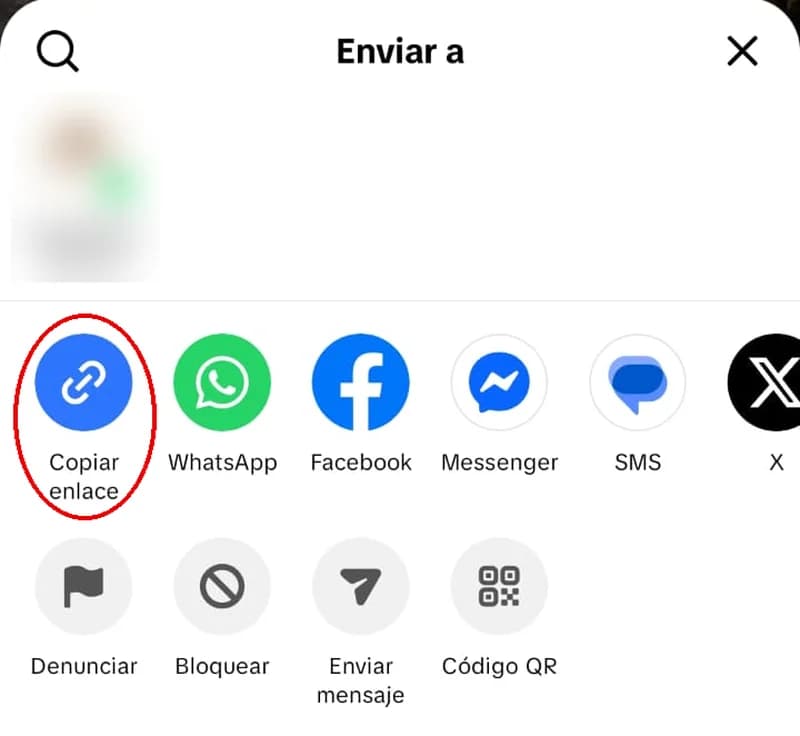
On TikTok, open the account's profile, tap the share button (top right) and choose Copy link. If you prefer, just note down the username, the one that starts with @.
Paste the link or the @username into the box above and tap Download. You'll see a preview of the profile picture.
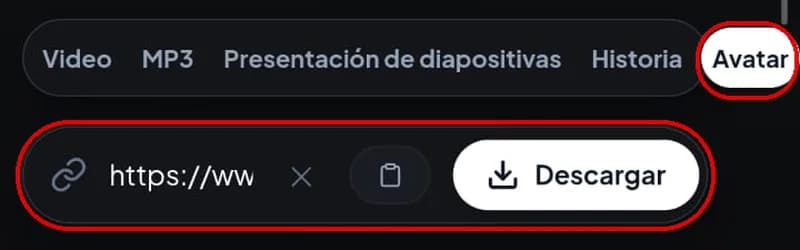
Tap Download profile picture. The image is saved as a JPG in your browser's downloads folder, with the username in the file name.

Size
Shape
Extra elements
| Screenshot | This tool | |
|---|---|---|
| Size | Whatever the circle is on your screen | The resolution TikTok has stored |
| Shape | Cropped into a circle | Full square image |
| Extra elements | The app's buttons, name and background | None |
When you download TikTok profile pictures, the quality depends on the image the account owner uploaded. Many profile pictures are uploaded at small sizes, like 200 × 200 pixels, and TikTok can't store more detail than it received. In a November 2026 test, the profile picture of a public account downloaded as a 700 × 700 pixel JPG.
If a picture looks pixelated when you zoom in, it's almost always because the original is small, not because of the download. No tool can add sharpness that isn't there.
Go to the profile and tap the picture. TikTok shows it at a larger size.
Open the profile on tiktok.com, right-click the picture and choose to open the image in a new tab.
Both show a bigger version than the circle, though not always the highest resolution. To save it in full, use the tool above.
When an account is private, TikTok hides its videos and photos, but the profile picture stays visible to any visitor. That's why the tool can show it. The videos, photo posts and stories of that account are still unavailable.
Safari saves it in the Files app, inside Downloads. To move it to Photos, open it, tap the share button and choose Save Image.
It stays in Downloads and usually appears in Gallery.
It's in your browser's Downloads folder.
The big name you see on the profile isn't always the username. Use the one that starts with @ and type it with the @ in front: without it, the tool asks you for a valid username or link. You can also copy the profile link from Share. And if you paste a video link, the tool switches to the video option on its own: for the profile picture, use the profile link.
The account owner uploaded a small image. The tool gives you the best version that exists, but it can't improve the original.
If the user changed their picture recently, TikTok can take a while to show the new one everywhere. Try again later.
The account may have been deleted or suspended by TikTok. In that case, there's no picture left to download.
Someone else's profile picture is still theirs, even if everyone can see it. Save it to see it in full size or to back up your own. Don't use it to create fake accounts, impersonate someone or post it without their permission: TikTok bans impersonation and in many countries it's a crime.
Paste the @username or profile link into the tool, tap Download and then Download profile picture. You get the image as a JPG, at the highest resolution TikTok has stored.
In the app, tap the picture on the profile. To see and save it at full size, use the tool on this page.
Yes. You can download TikTok profile pictures from private accounts because the profile picture is always visible. The rest of that account's content is not.
Yes. It comes in handy if you lost the original image or want to use the same picture on another social network.
No. You only need the @username or the profile link.
Yes. It works in the browser of any phone or computer, without installing any app.
If you're looking for the photos of a post rather than the profile picture, use download TikTok photos.